Wéi froen ech Zougrëff op Zielwäerter vun Aaneren
Requesting access to someone else data
As a Leneda user (private or company), you can request access to the metering data from another person / company. Follow these steps to request the metering data access:
Step 1
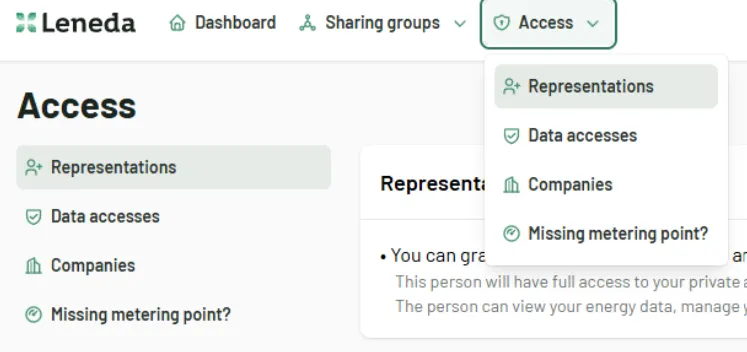
Log in to Leneda and navigate to the “Access” section by selecting “Data accesses”.
Step 2
Under the section “Access to other’s data” you can see a list of current access requests and their status. To request an access to the metering data of someone else, click on the “Request access to metering data” button.

Step 3
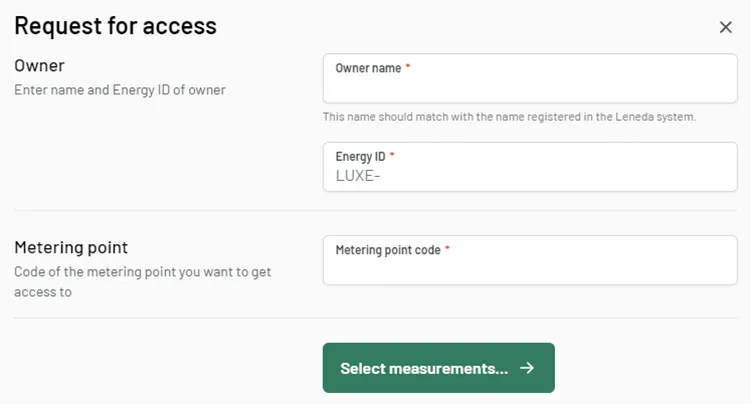
In the next step, you will need to provide the following information:
- Owner Name: The name as registered in Leneda of the person / company you are requesting access from
- Energy ID: The Energy ID of the person / company you are requesting access from
- Metering Point: The metering point code (POD) you want to access
Step 4
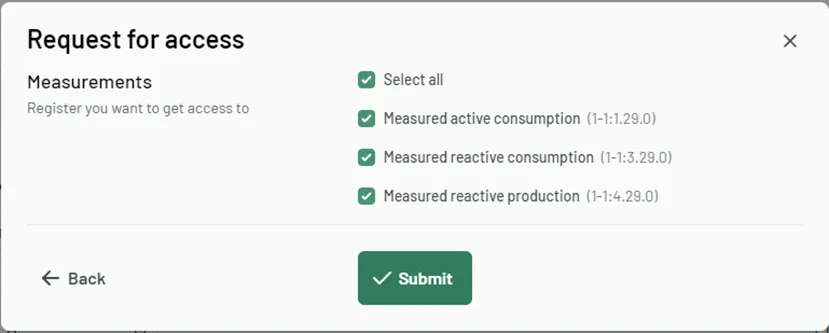
Once you clicked on “Select measurements” the validity of the previously entered information will be checked. If everything is fine you will be able to proceed to indicate the registers, you want to get access to. If not, you will receive an error message. For security reasons only a limited number of false attempts will be allowed per day.
You can select multiple or only an individual one. Once you’ve done your selection you need to click the “Submit” button.
Step 5
Once the request has been submitted, it will appear in the section: Pending access requests”
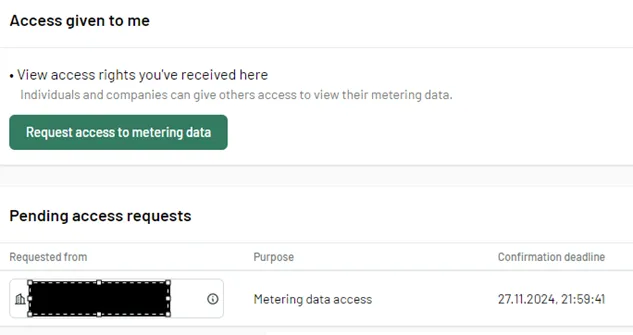
The owner will be informed by email about your request. Once he has approved the access request, you will be informed, and the request will appear in the section: “Metering data accesses given to me”. From that moment on you can access the data either via the UI or retrieve the metering data via the GET metering data API described in Leneda - API reference.
