How to grant metering data access to another person / company
Managing Access to Your Data
As a Leneda user, you can grant access to your metering data to other parties. Follow these steps to manage data access:
Step 1
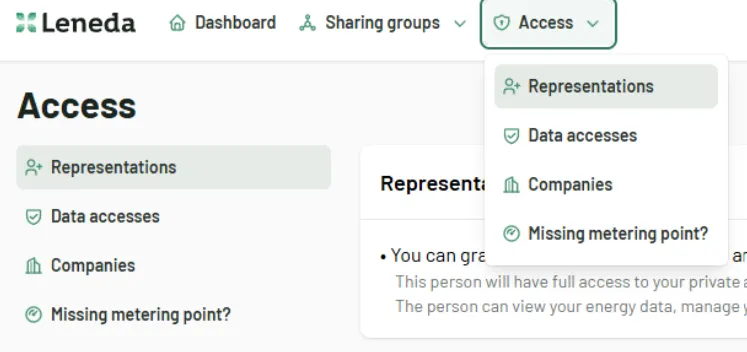
Log in to Leneda and navigate to the “Access” section by selecting “Data accesses”.
Step 2
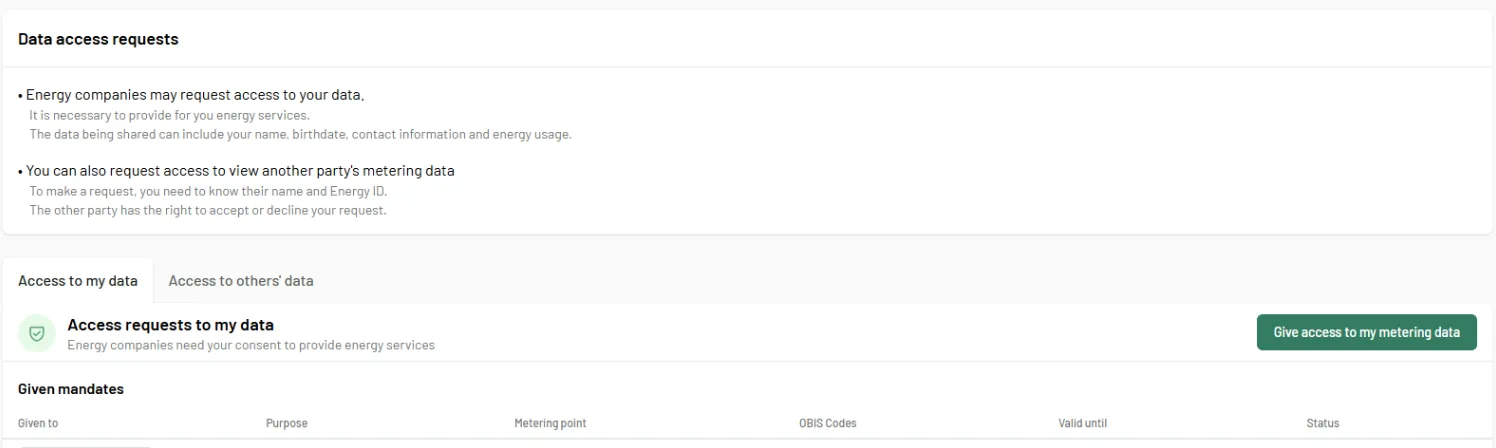
Under the section “Access to my data”, you can see a list of current access requests and their status. To grant access to your metering data, click on the “Give access to my metering data” button
Step 3
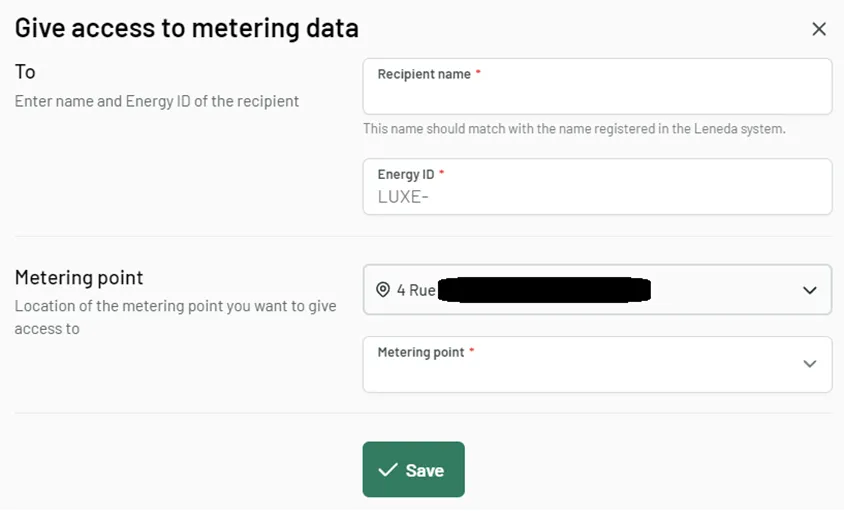
In the next step, you will need to provide the following information
- Recipient Name: The name as registered in Leneda.
- Energy ID: The recipient’s Energy ID.
- Address selection: In case of multiple addresses, you need to select the relevant one.
- Metering Point: The POD from which you want to share the data.
Step 4
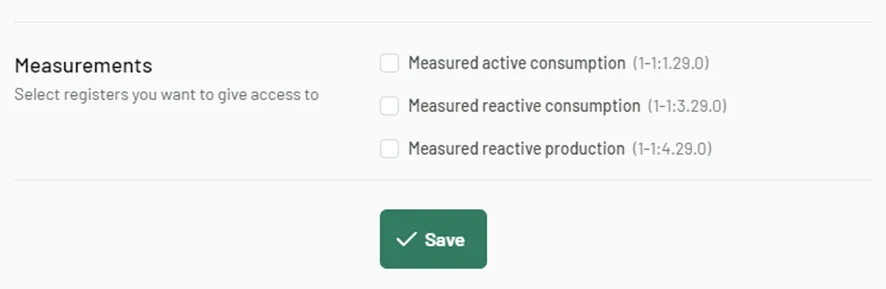
After entering the metering point, a list of available OBIS codes will be displayed. Select the registers you want to grant access to. You can select either one single register or multiple ones.
Step 5
Once the selection is made, click “Save” to finalize and grant access. The recipient will be informed via email once access is granted and the access will be listed in the list of mandates you have given.
