How to manage sharing groups
Overview as a Sharing Group Manager
As a Sharing Group Manager, you have an additional tab in your Leneda overview called “Sharing Group.” Under this tab, you will find:
- Sharing Groups List: Provides a detailed overview of your Sharing Groups.
- Calculation Overview: Provides insights into the calculations steps of your Sharing Groups. The page shows you if they have been calculated successfully or if there are still some missing data preventing their calculations.
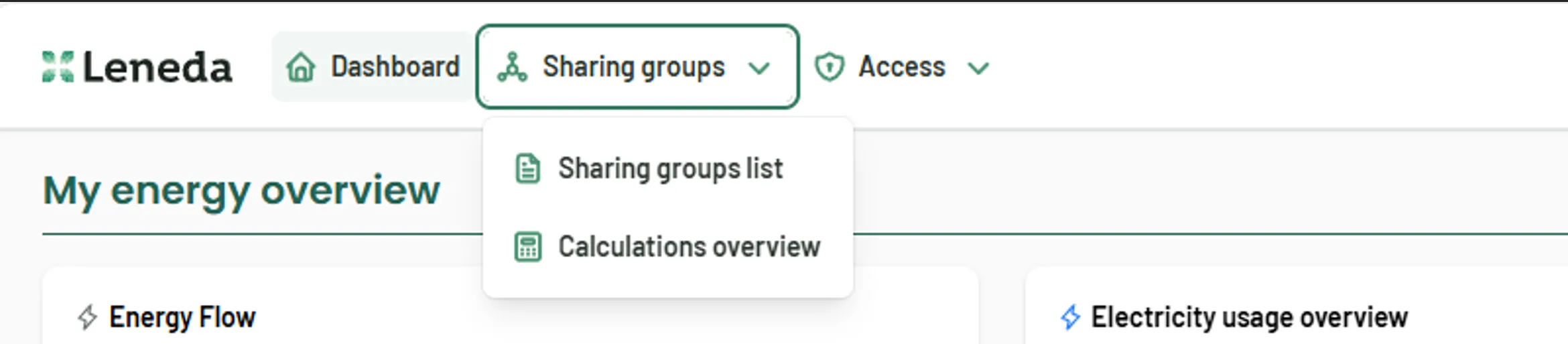
When you select “Sharing Groups List” you will see an overview of all your Sharing Groups.
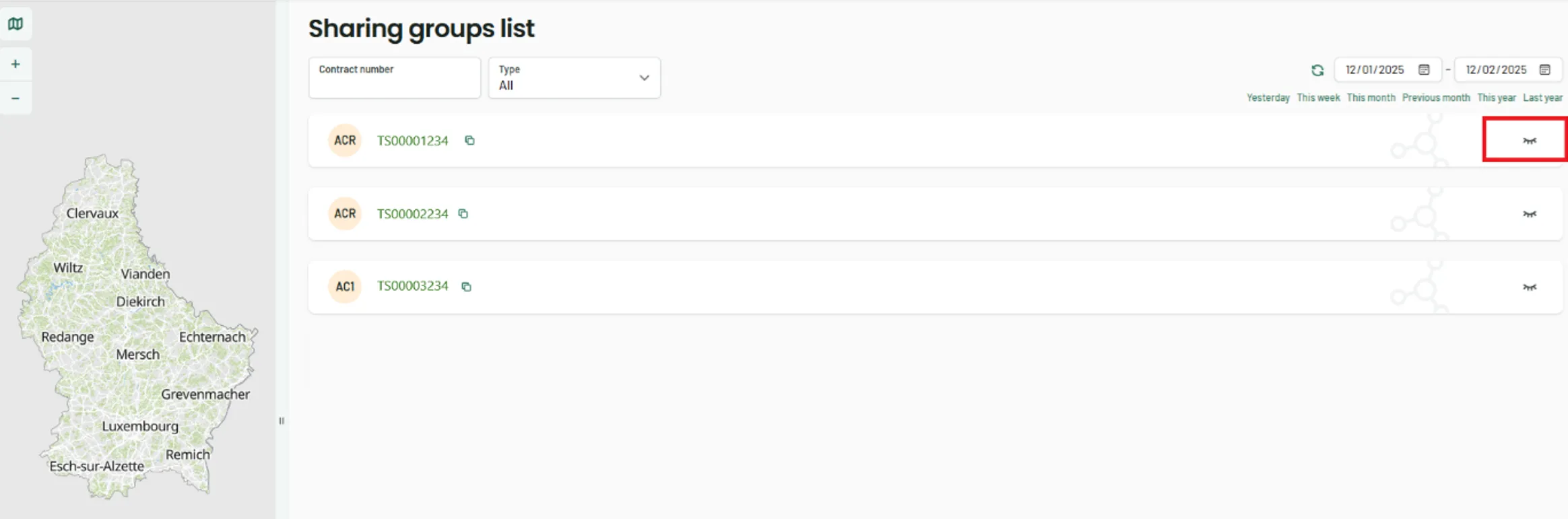
By clicking on the eye icon (marked in red), you can access the details of the selected Sharing Group.
On the far left, you will see an overview map displaying the geographical location of the individual metering points that are part of the selected sharing group.
Sharing Group Details
Once you expand a Sharing Group, Leneda gives you an overview of all metering points, their roles, and the shared and/or consumed energy within the selected period.
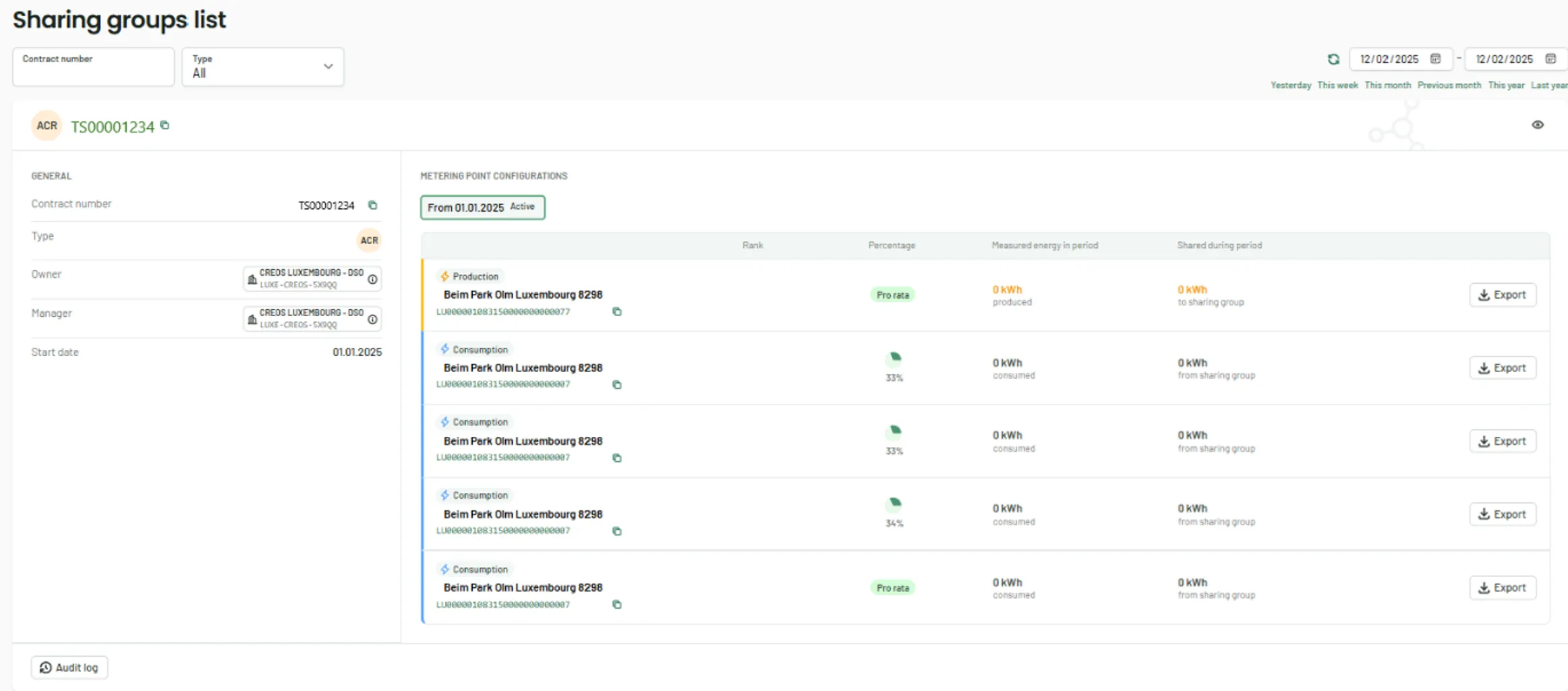
Left Panel information:
- Contract Number - Identifies the contract associated with the Sharing Group.
- Type - Specifies the type of Sharing Group.
- Owner - Displays the grid operator.
- Manager - Indicates the representative of the Sharing Group.
- Start Date - Shows the date when the Sharing Group was established.
Right Panel Information:
- Metering Points - Displays the addresses and types of metering points, indicating whether they are production or consumption points.
- Rank/Percentage - Shows the repartition schemes you selected when signing the convention for the Sharing Group.
- Measured Energy in Period - Displays the total energy produced or consumed per metering point during the selected timeframe. If you are not the owner of a metering point, you will need the respective member’s permission to access this data; otherwise, “0” will be displayed.
- Shared During Period - Shows the shared energy per metering point towards the sharing group (in case of a production) or from the sharing group (in case of a consumption) within the selected period.
- Export - This button allows you to download the load curves per metering point as a CSV file for the selected period.
Calculation Overview
This section ensures that all relevant data is available and that the calculations for the Sharing Groups have been successfully processed. This verification helps you to confirm that your consumption data in the Sharing Groups List is complete and accurate.
